Redesigning Home Network Management Within Telekom's App
5M+ users had access to a device management feature. Most weren't using it to manage their network — they were using it to check if someone had broken in. The interface gave them no help doing that.
Role:
UX / Strategy
Year:
2025
Context
Designing a clearer way to manage connected homes
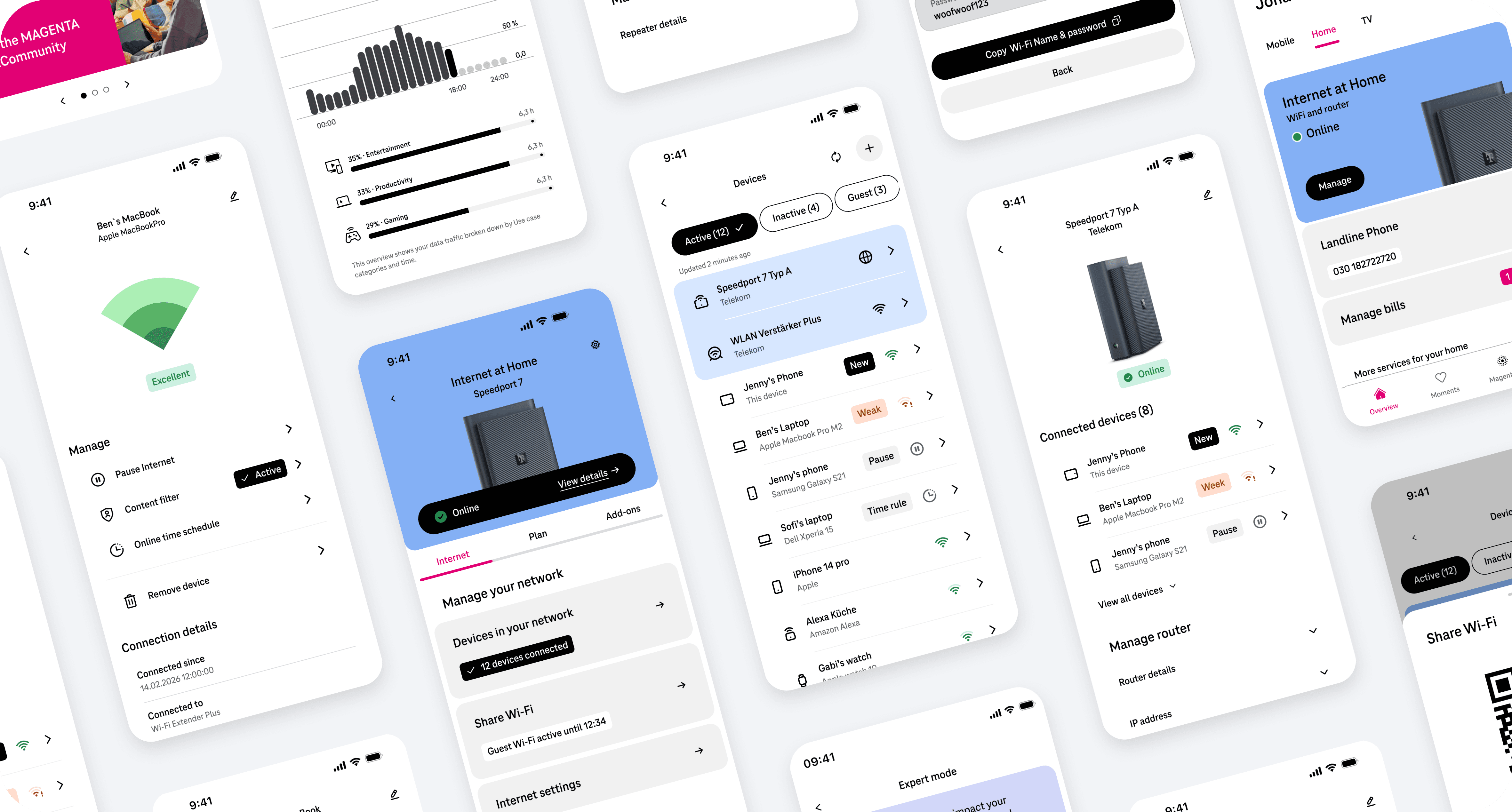
Deutsche Telekom's OneApp is the primary interface for 5M+ broadband customers to manage their home network. The device management section let customers see every device connected to their router — phones, laptops, TVs, smart home products.
Usage data showed strong engagement. But the pattern was unusual: users weren't browsing casually. They were visiting the feature repeatedly, quickly, often late at night. The behaviour looked less like feature adoption and more like checking a lock on the front door.
The interface was built to display technical data. It wasn't built to answer the question users were actually asking.
Context
Designing a clearer way to manage connected homes
Deutsche Telekom's OneApp is the primary interface for 5M+ broadband customers to manage their home network. The device management section let customers see every device connected to their router — phones, laptops, TVs, smart home products.
Usage data showed strong engagement. But the pattern was unusual: users weren't browsing casually. They were visiting the feature repeatedly, quickly, often late at night. The behaviour looked less like feature adoption and more like checking a lock on the front door.
The interface was built to display technical data. It wasn't built to answer the question users were actually asking.
My role
End-to-end ownership of the device management experience
I led the redesign from research and problem framing through to shipped product — owning the direction, the prioritisation decisions, and the final interaction design. I was embedded in a broader team of five product designers, one service designer, and one UX researcher.
The hardest part of my role wasn't producing designs. It was convincing stakeholders to stop solving for information completeness and start solving for user confidence. The JTBD scoring framework became the tool that made that argument stick.
My role
End-to-end ownership of the device management experience
I led the redesign from research and problem framing through to shipped product — owning the direction, the prioritisation decisions, and the final interaction design. I was embedded in a broader team of five product designers, one service designer, and one UX researcher.
The hardest part of my role wasn't producing designs. It was convincing stakeholders to stop solving for information completeness and start solving for user confidence. The JTBD scoring framework became the tool that made that argument stick.
Problem
Customers could see their devices, but couldn’t understand their network
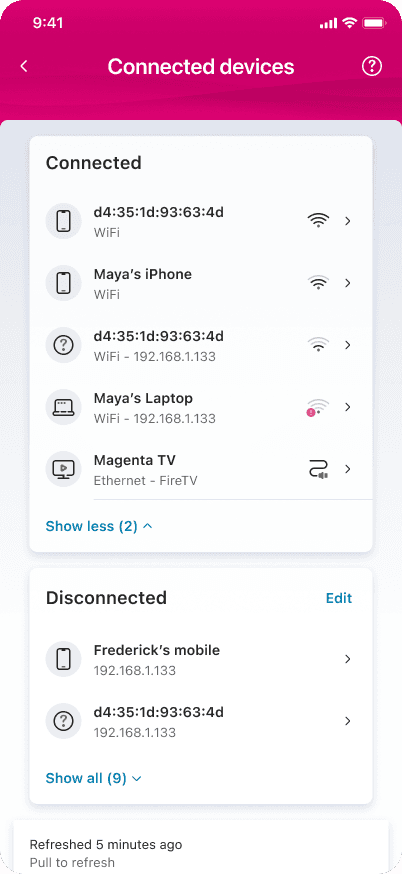
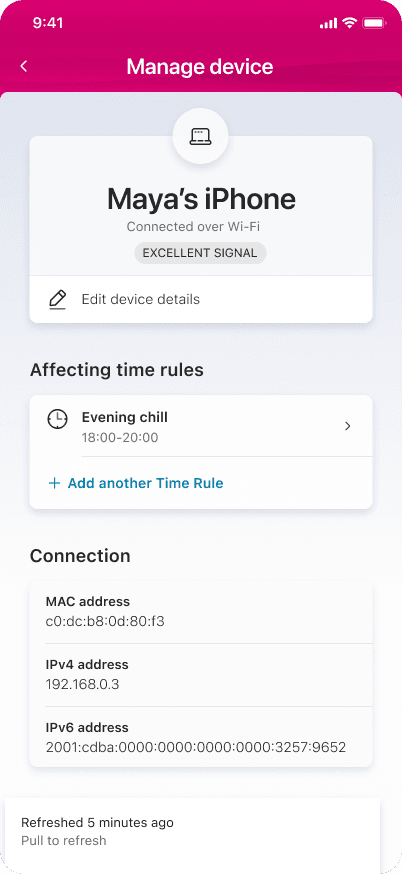
The existing experience was structured around technical data: MAC addresses, IP addresses, connection type, signal strength. All accurate. None of it meaningful to a non-technical user trying to answer one question.
What made this more than a usability problem: users had already adapted their behaviour around the gap. They weren't visiting the device list out of curiosity — they were using it as an informal security monitor because no better tool existed. The feature had developed a shadow use case the product team hadn't designed for.
Problem
Customers could see their devices, but couldn’t understand their network
The existing experience was structured around technical data: MAC addresses, IP addresses, connection type, signal strength. All accurate. None of it meaningful to a non-technical user trying to answer one question.
What made this more than a usability problem: users had already adapted their behaviour around the gap. They weren't visiting the device list out of curiosity — they were using it as an informal security monitor because no better tool existed. The feature had developed a shadow use case the product team hadn't designed for.


Insight
Users weren't managing devices. They were checking for intruders.
Research revealed that the mental model most users brought to the device list wasn't "network management" — it was closer to checking whether the front door was locked. They wanted confirmation that nothing unexpected had happened, not a technical readout of what had.
This reframed the design challenge entirely. Instead of asking how do we display device information more clearly, we asked:
That shift in framing was the most consequential design decision in the project. Everything downstream was a consequence of it.
How might we help users instantly understand what's happening on their network — and act confidently when something looks wrong?
Insight
Users weren't managing devices. They were checking for intruders.
Research revealed that the mental model most users brought to the device list wasn't "network management" — it was closer to checking whether the front door was locked. They wanted confirmation that nothing unexpected had happened, not a technical readout of what had.
This reframed the design challenge entirely. Instead of asking how do we display device information more clearly, we asked:
Process
Deciding what to solve first — and what to explicitly defer
The reframed challenge changed what we were prioritising. We translated research observations into Jobs To Be Done, scored across user value, business impact, and technical feasibility. This gave us a shared framework to align stakeholders and a principled basis to defer anything that didn't serve the core security and trust need.
Process
Deciding what to solve first — and what to explicitly defer
The reframed challenge changed what we were prioritising. We translated research observations into Jobs To Be Done, scored across user value, business impact, and technical feasibility. This gave us a shared framework to align stakeholders and a principled basis to defer anything that didn't serve the core security and trust need.
Design principles
Five constraints that shaped every decision
Derived directly from the insight reframe. These acted as decision filters throughout exploration and testing — not aspirational values, but active constraints used to reject directions that didn't meet them.
Design principles
Five constraints that shaped every decision
Derived directly from the insight reframe. These acted as decision filters throughout exploration and testing — not aspirational values, but active constraints used to reject directions that didn't meet them.

Exploration & testing
What testing changed — and why one direction won
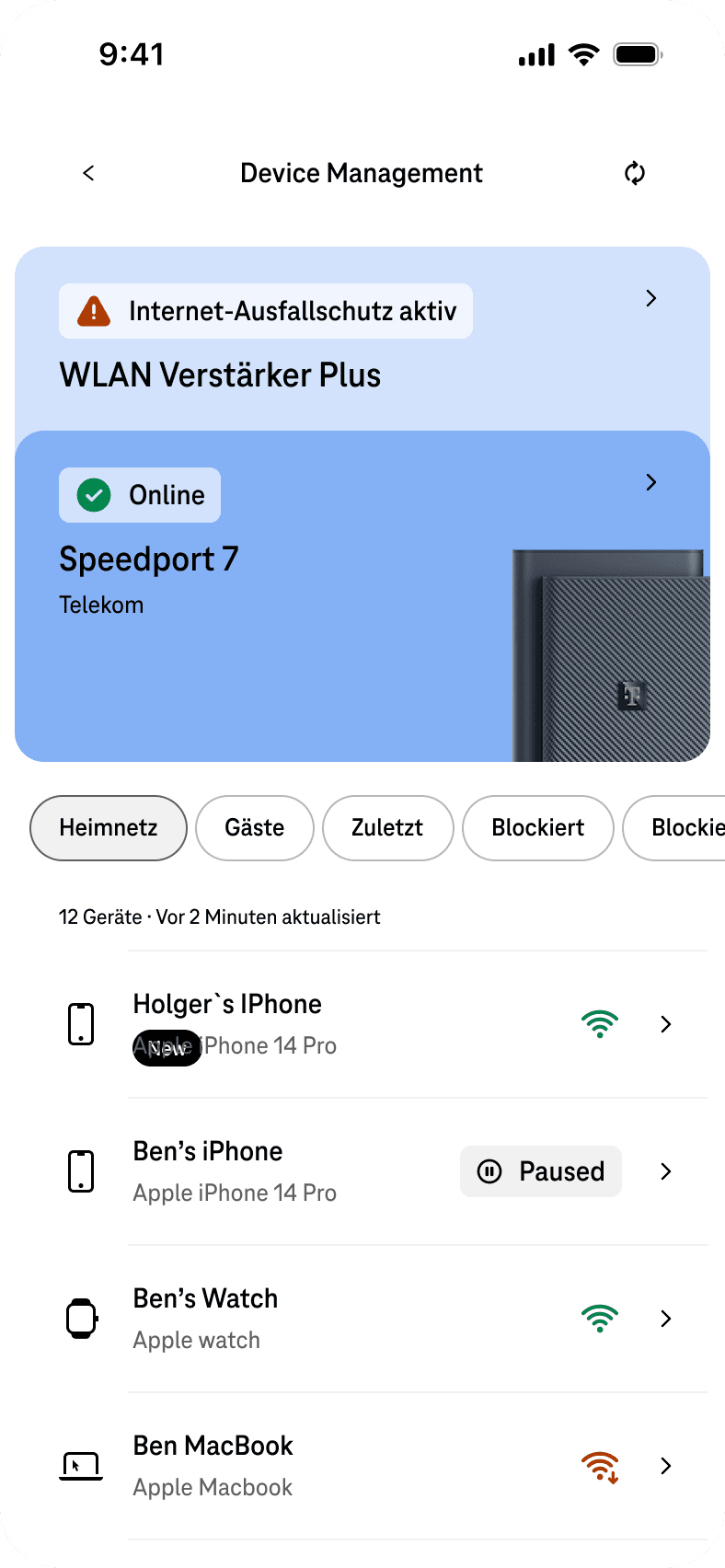
We explored multiple directions. The critical split: do we lead with a network status summary, or with the device list? Some directions prioritised the summary state. Others led with the device list and surfaced anomalies within it.
The direction that won combined a network status summary at the top with immediate visual flagging of new devices in the list. It beat list-only approaches because it answered the user's primary question (is my network okay?) before asking them to scan devices. It beat status-only approaches because users still needed to act on specific devices — removing the list entirely created anxiety rather than confidence.
Exploration & testing
What testing changed — and why one direction won
We explored multiple directions. The critical split: do we lead with a network status summary, or with the device list? Some directions prioritised the summary state. Others led with the device list and surfaced anomalies within it.
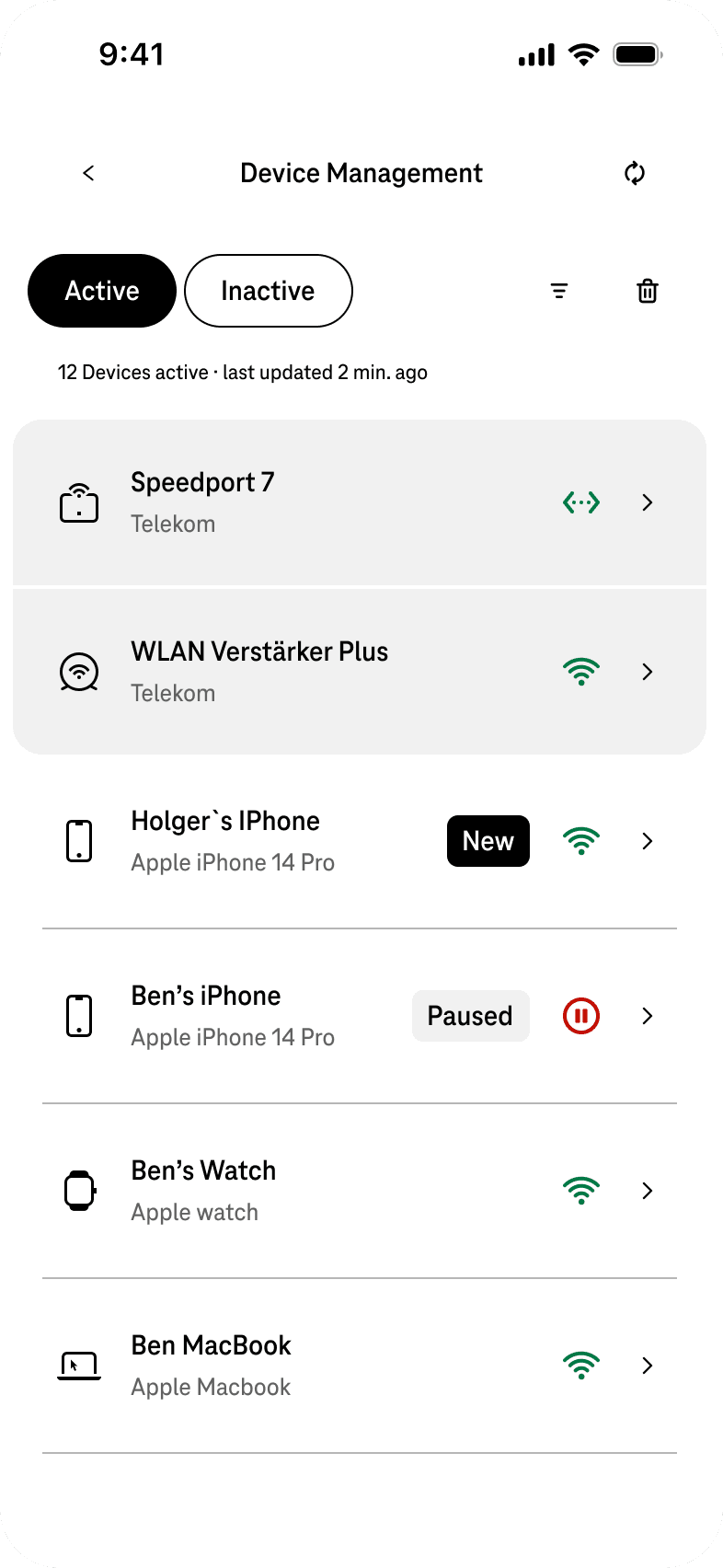
Different directions explored based on the principles. Later on select few were tested with Telekom's customer and a direction was narrowed down to explore the final concept

Solution
From passive list to active network tool
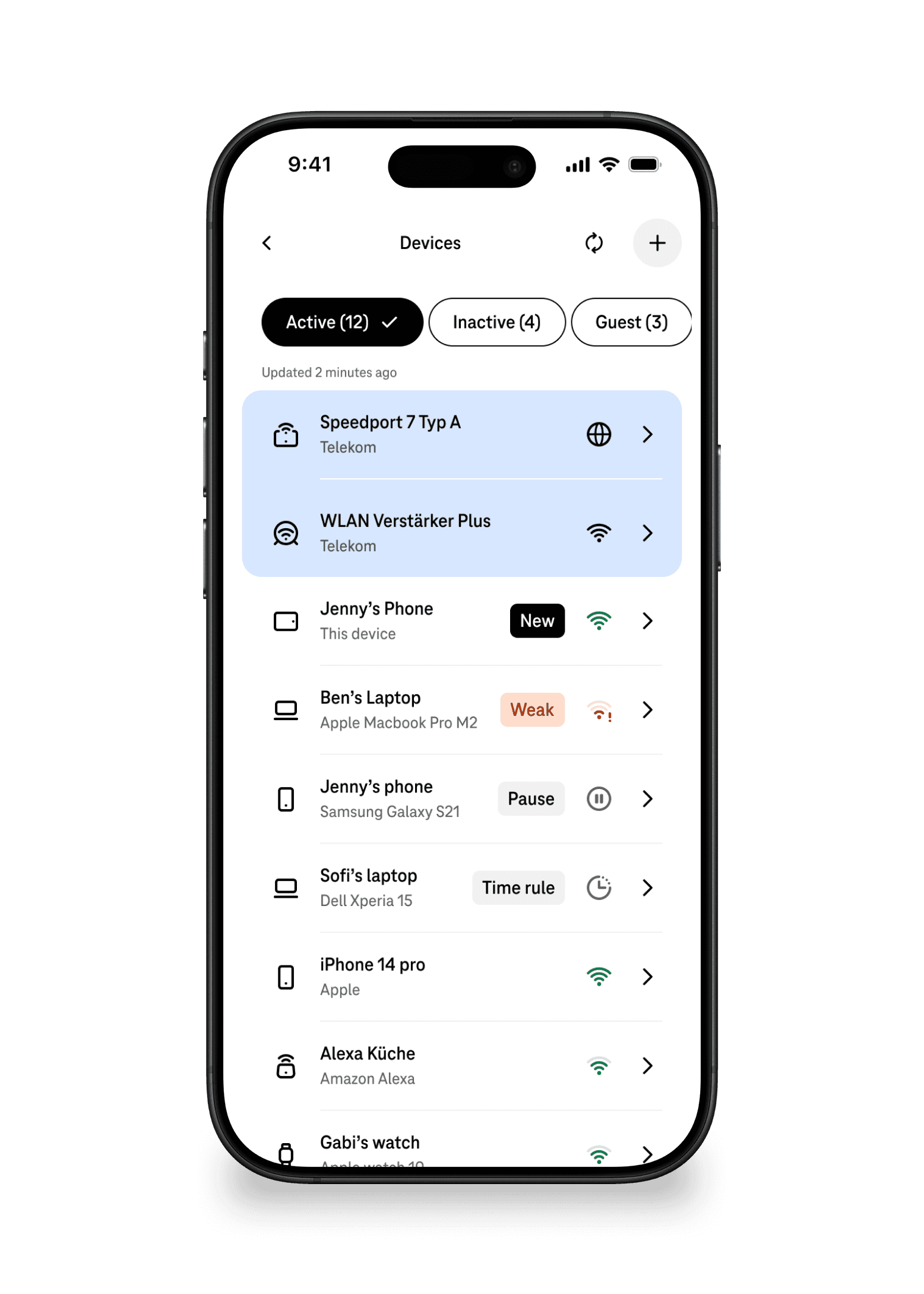
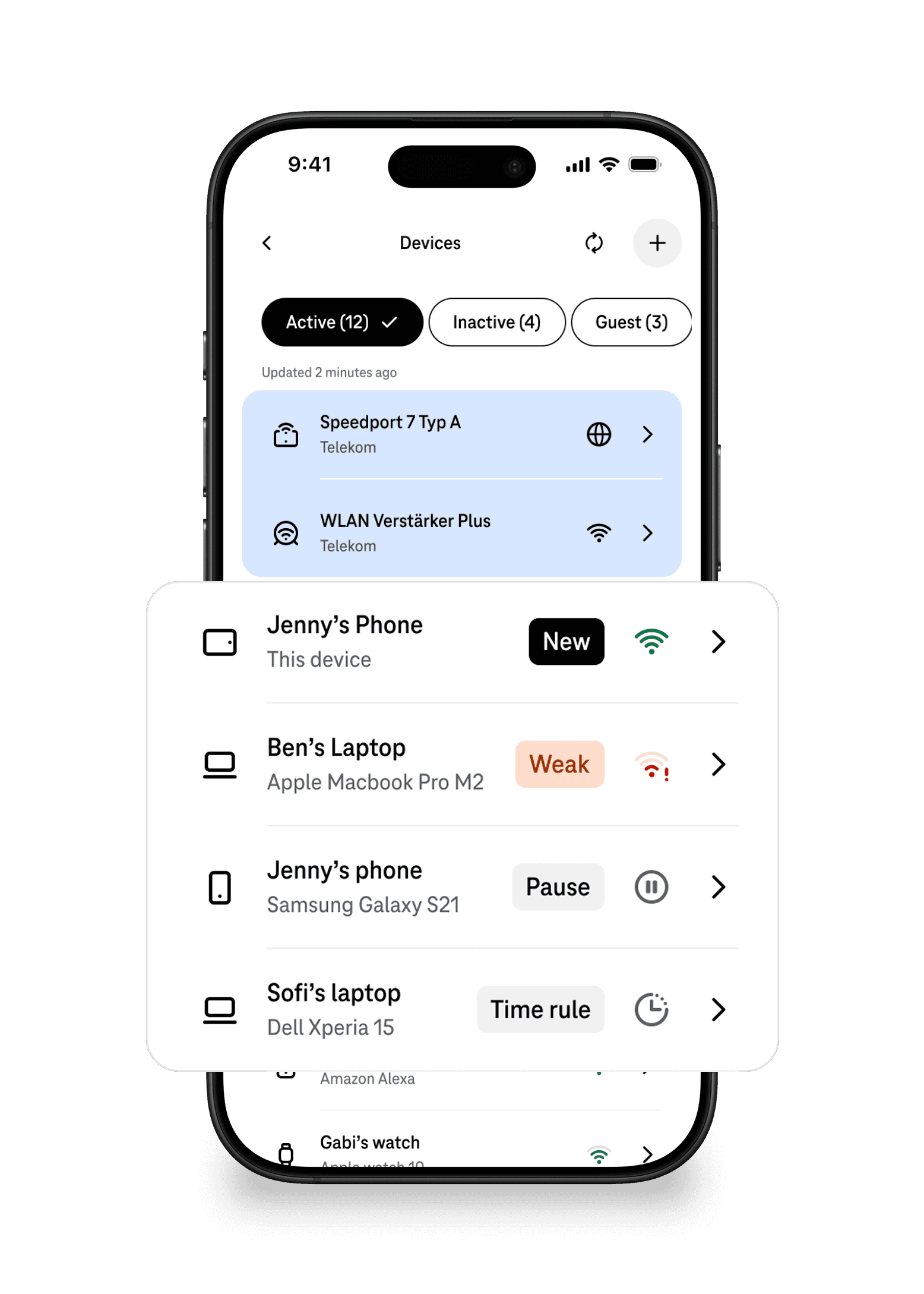
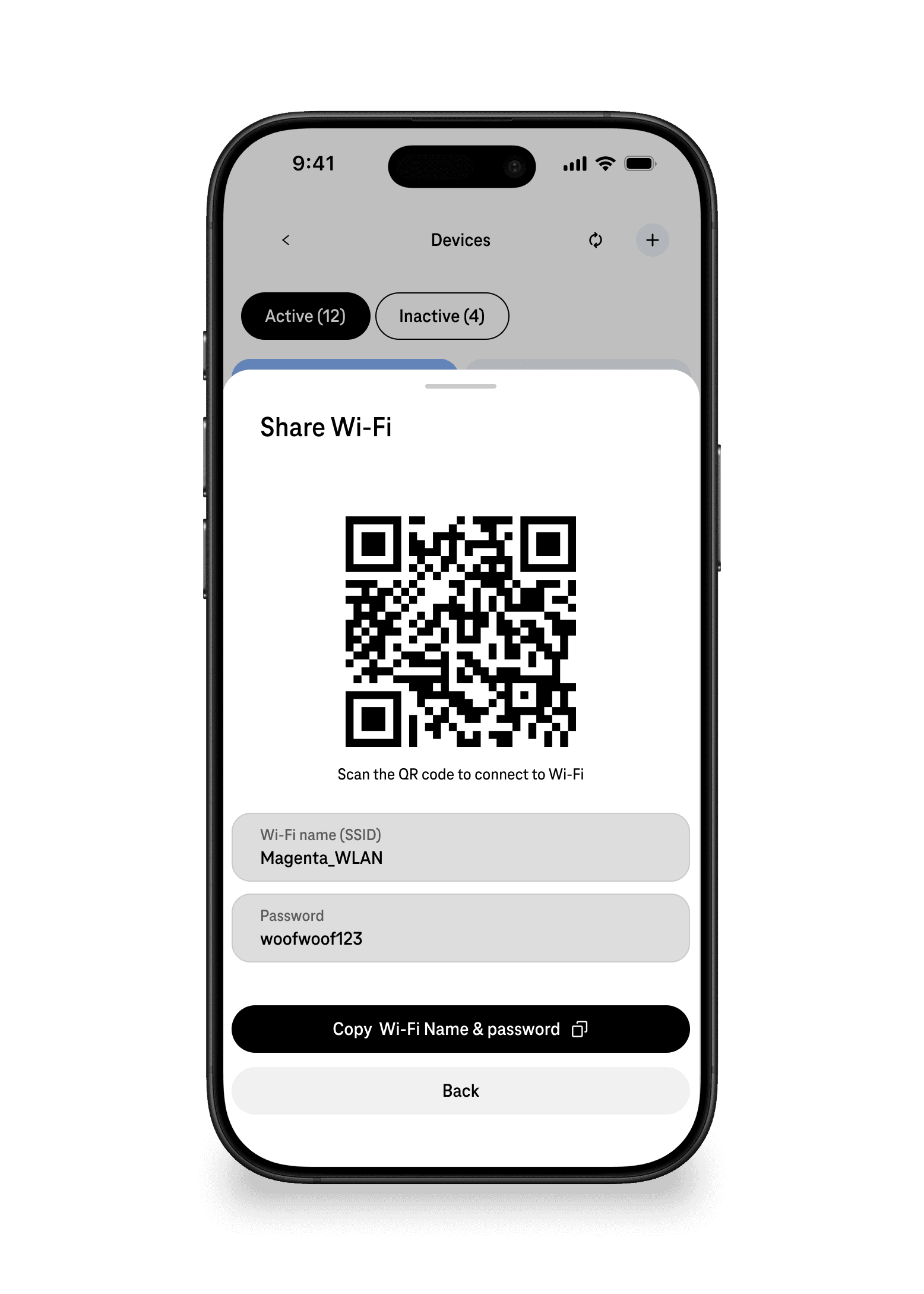
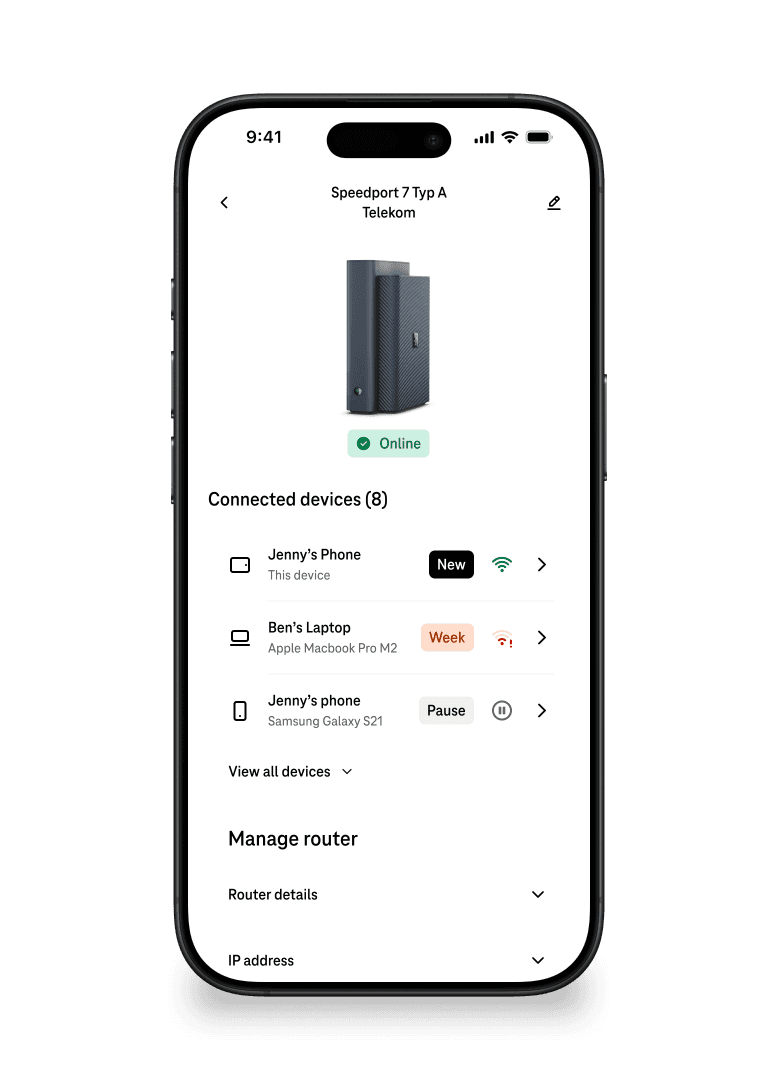
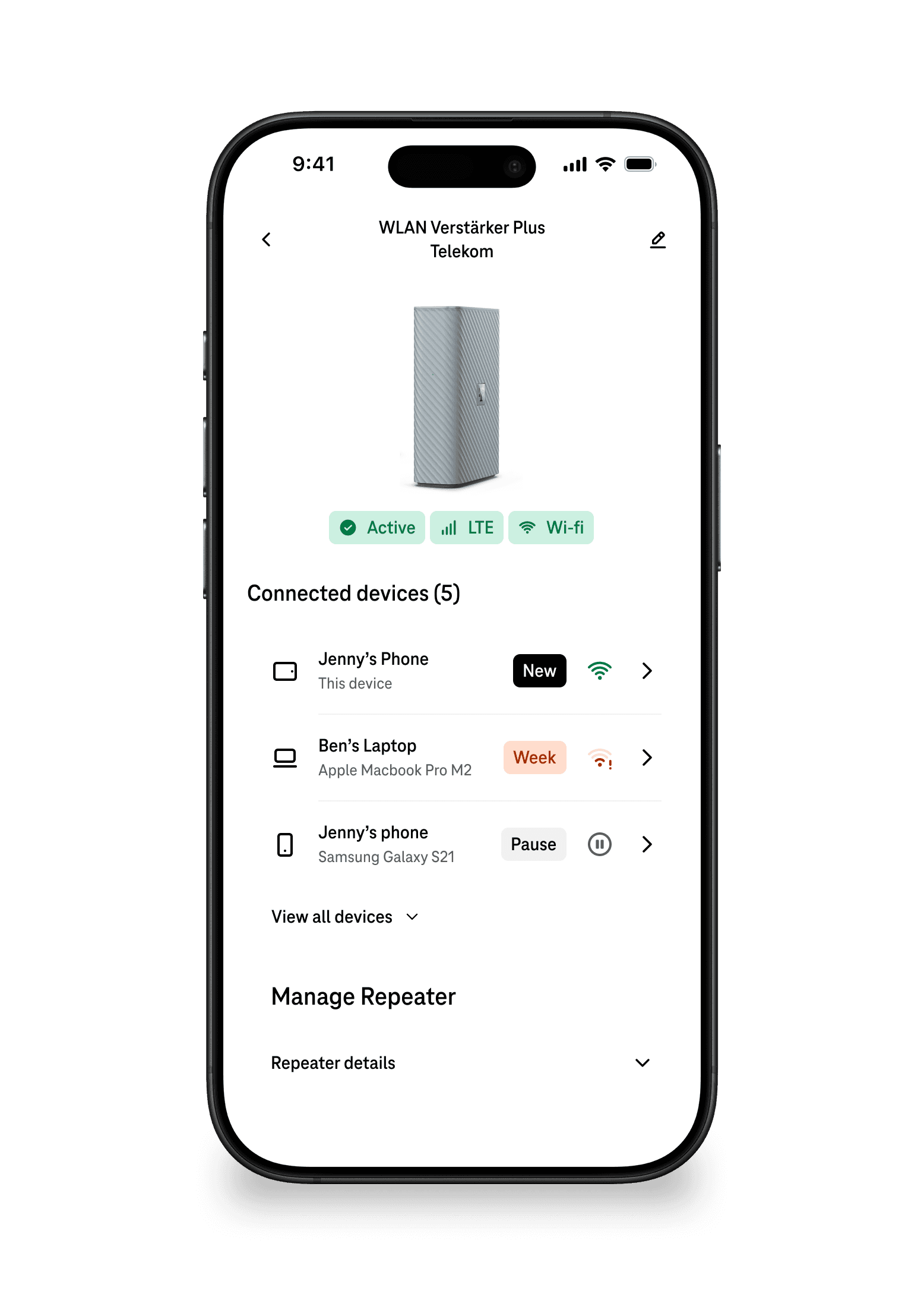
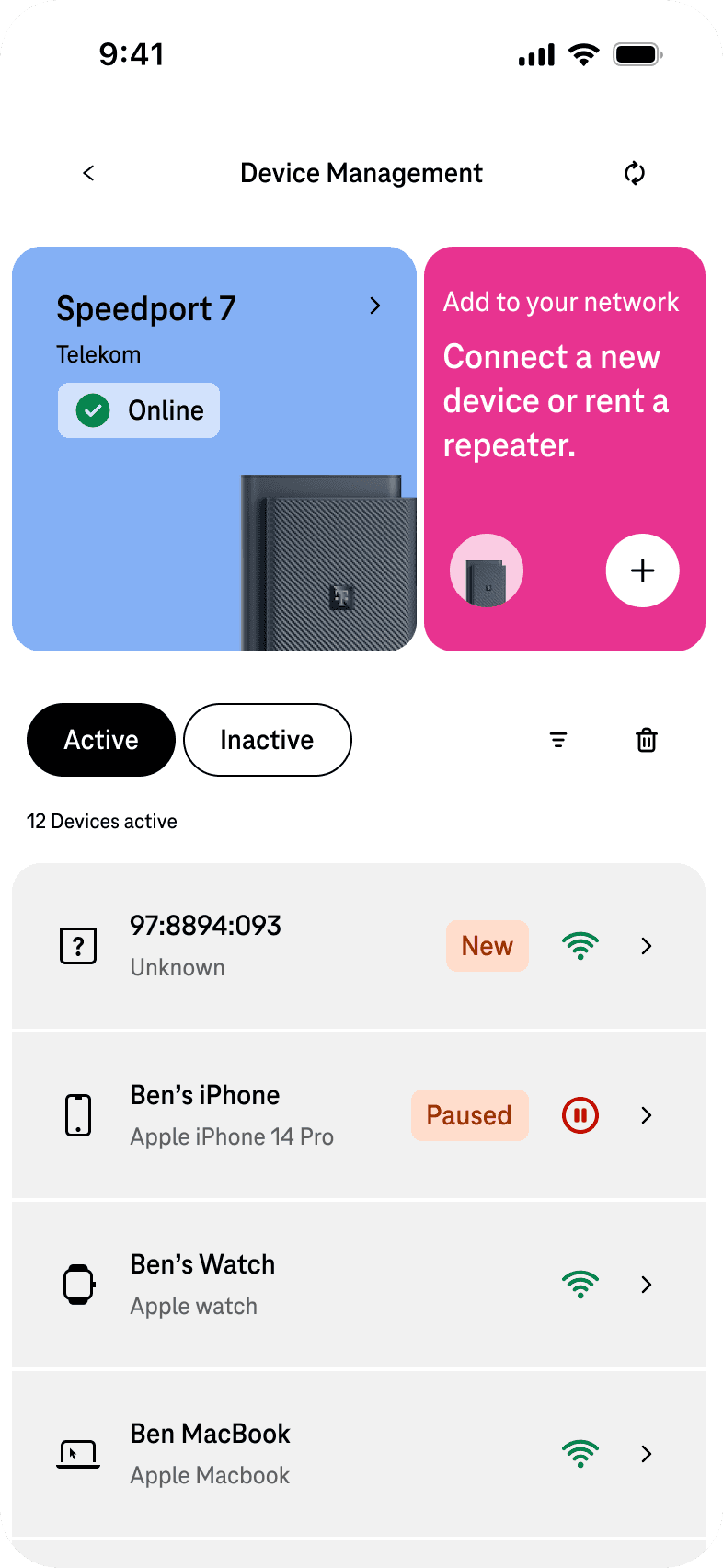
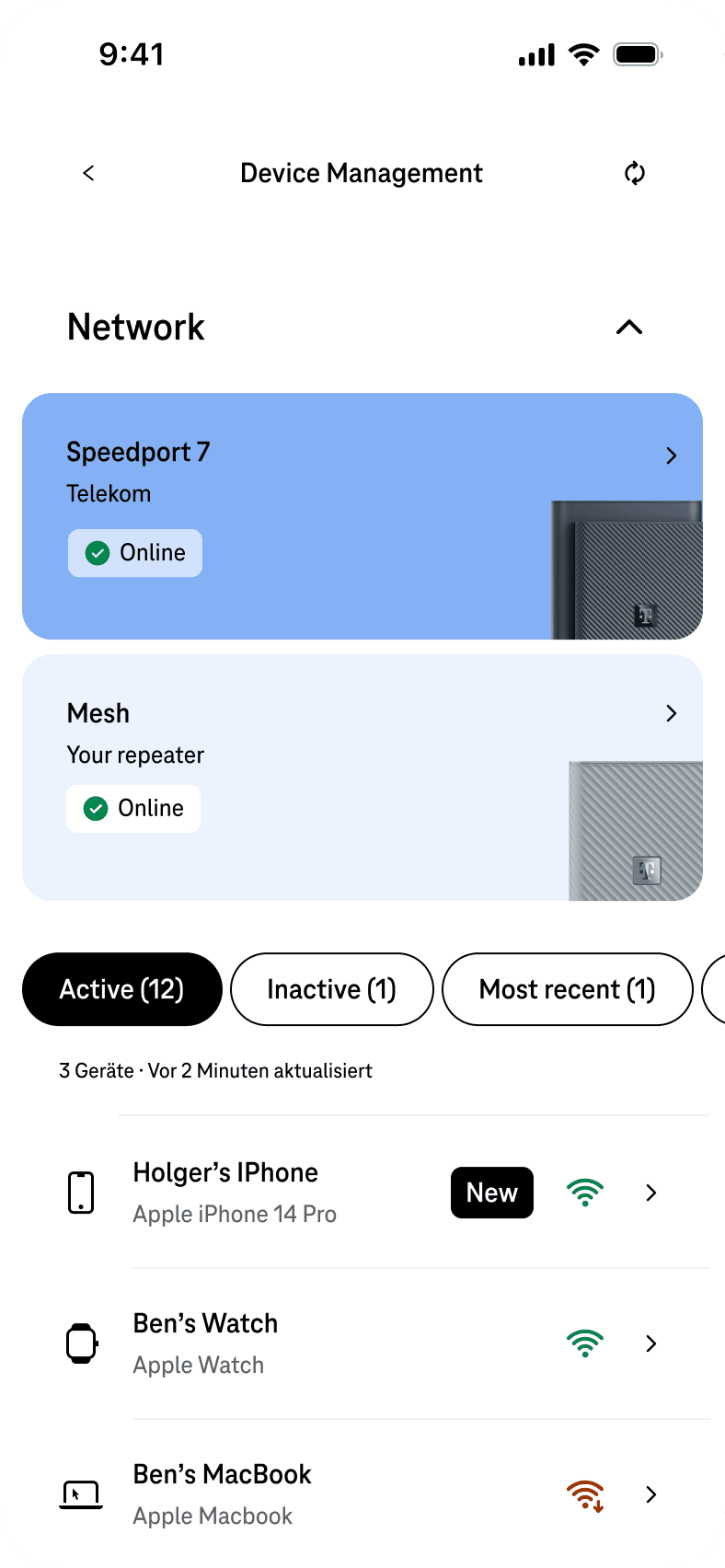
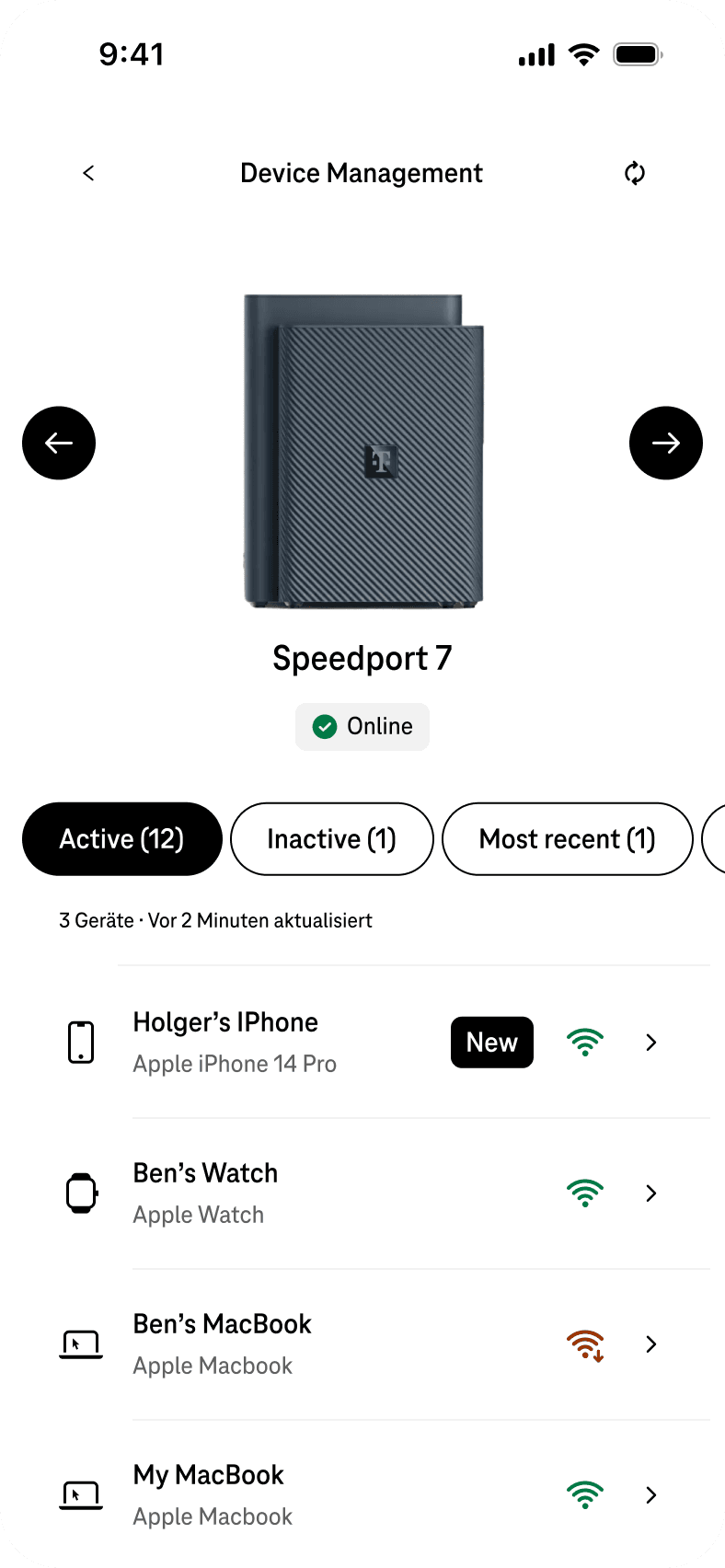
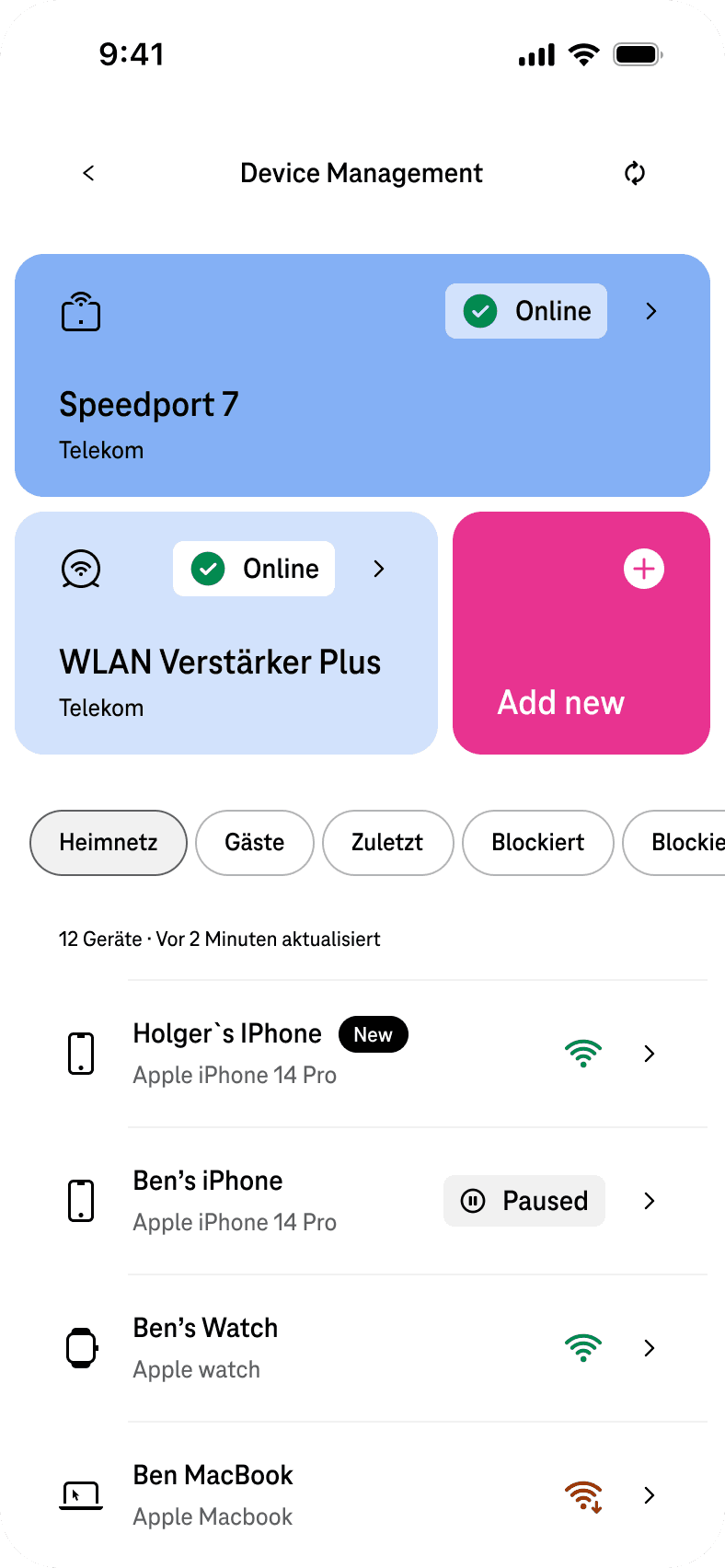
The redesigned experience focuses on clarity, recognition, and actionability.
Key improvements included:
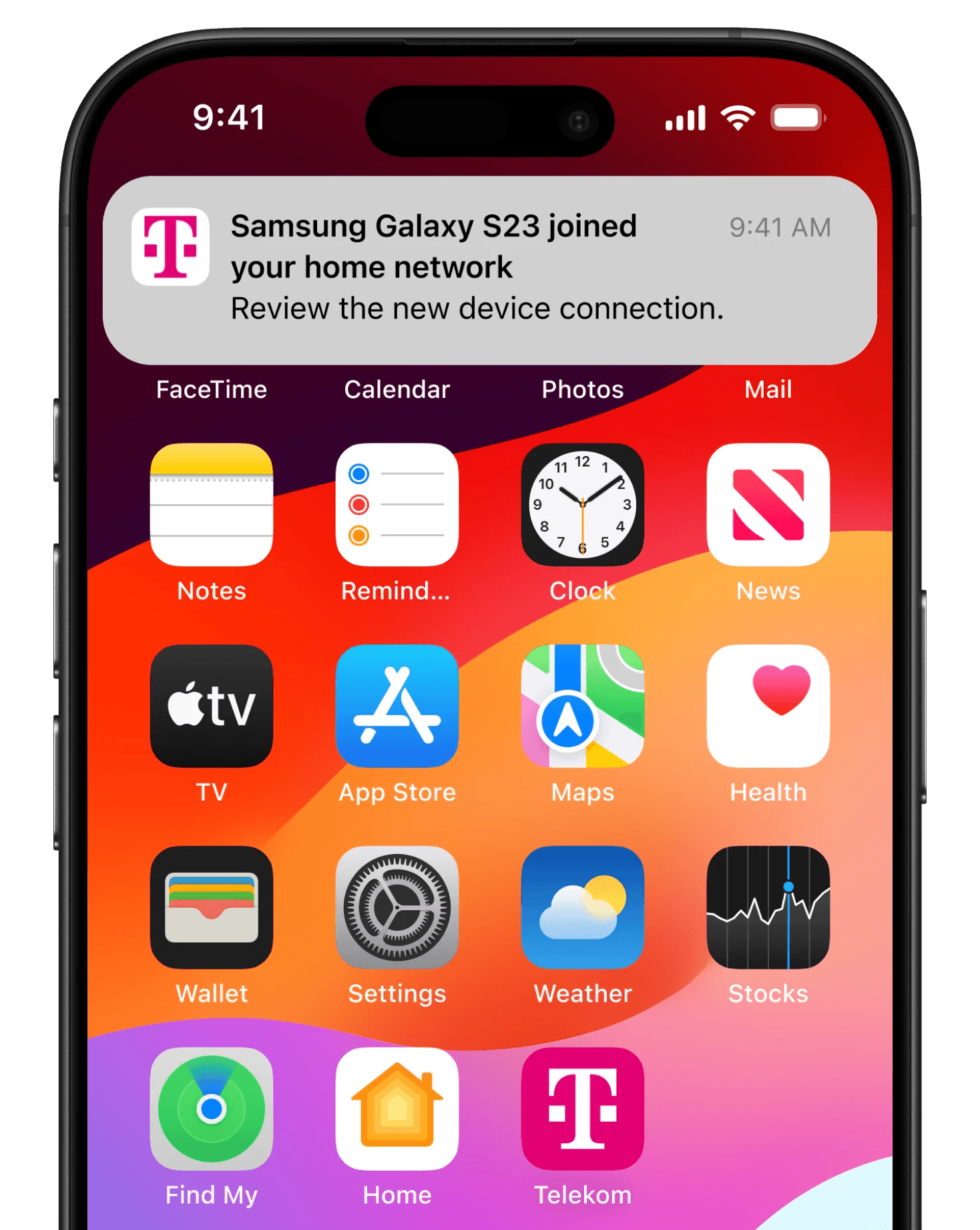
• Highlighting newly connected devices so unfamiliar connections are easier to detect
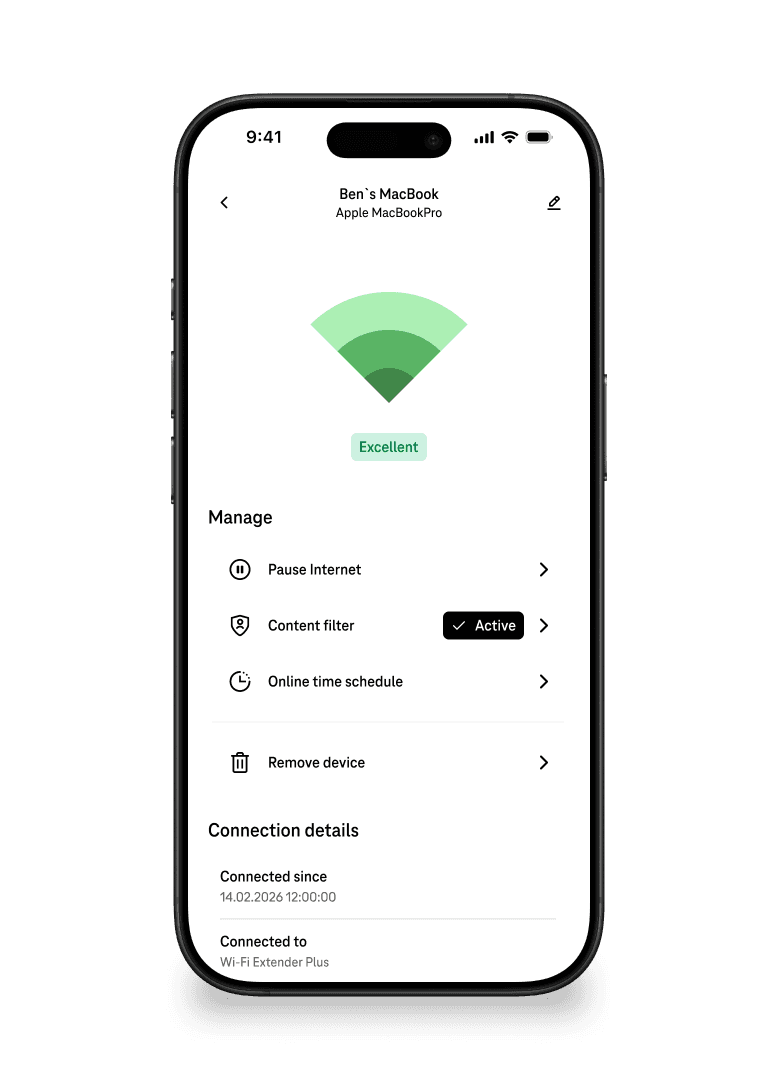
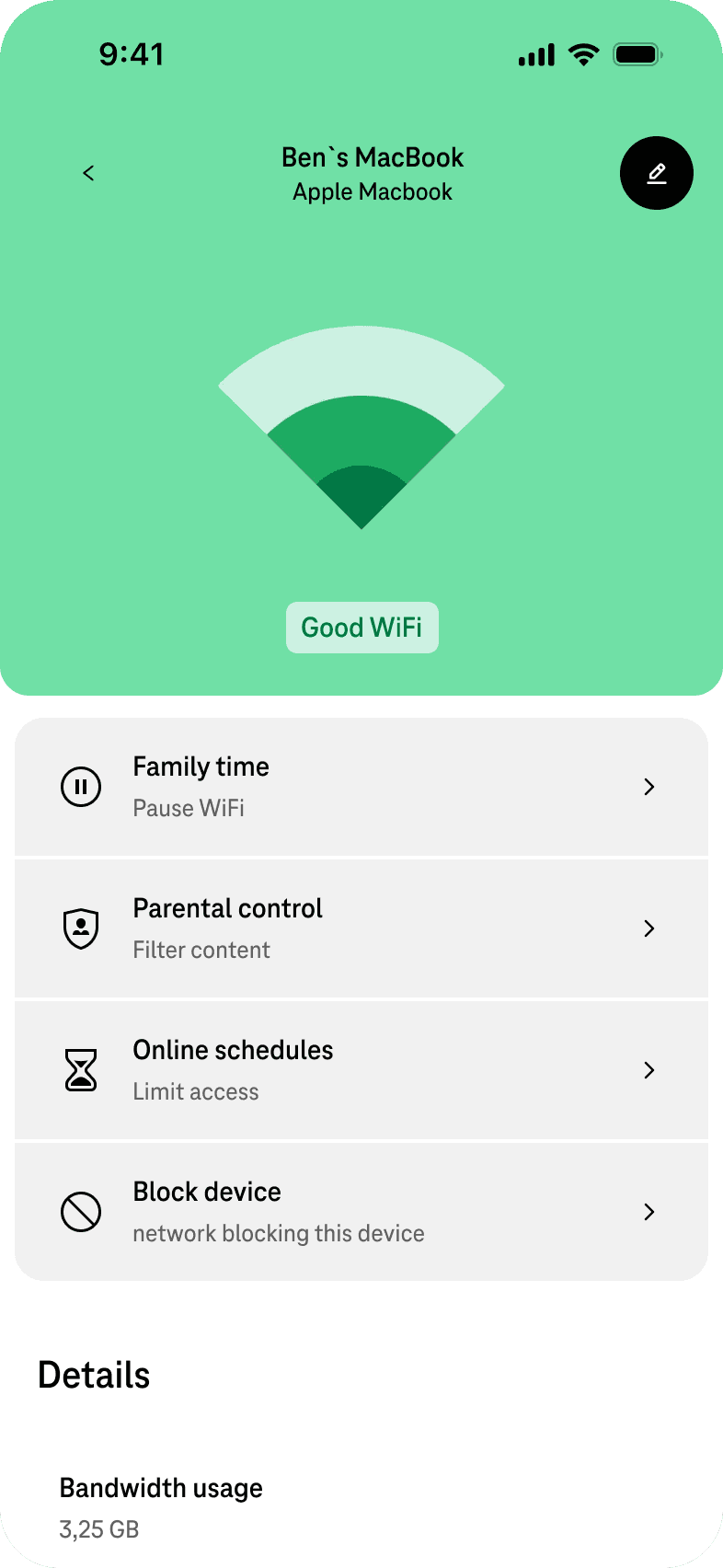
• Improved device identification through device fingerprinting and recognizable labels
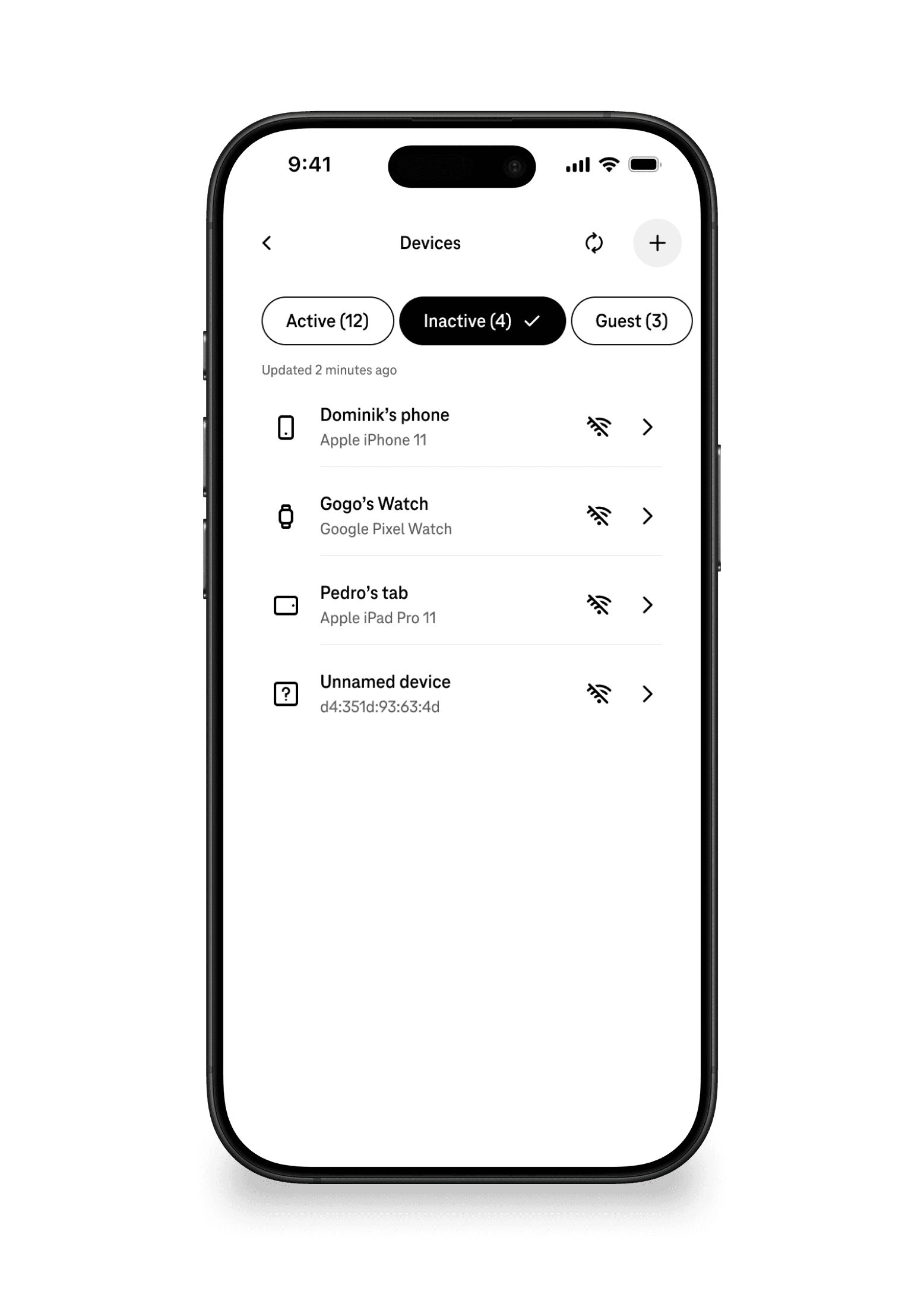
• Clear connection status indicators for active and inactive devices
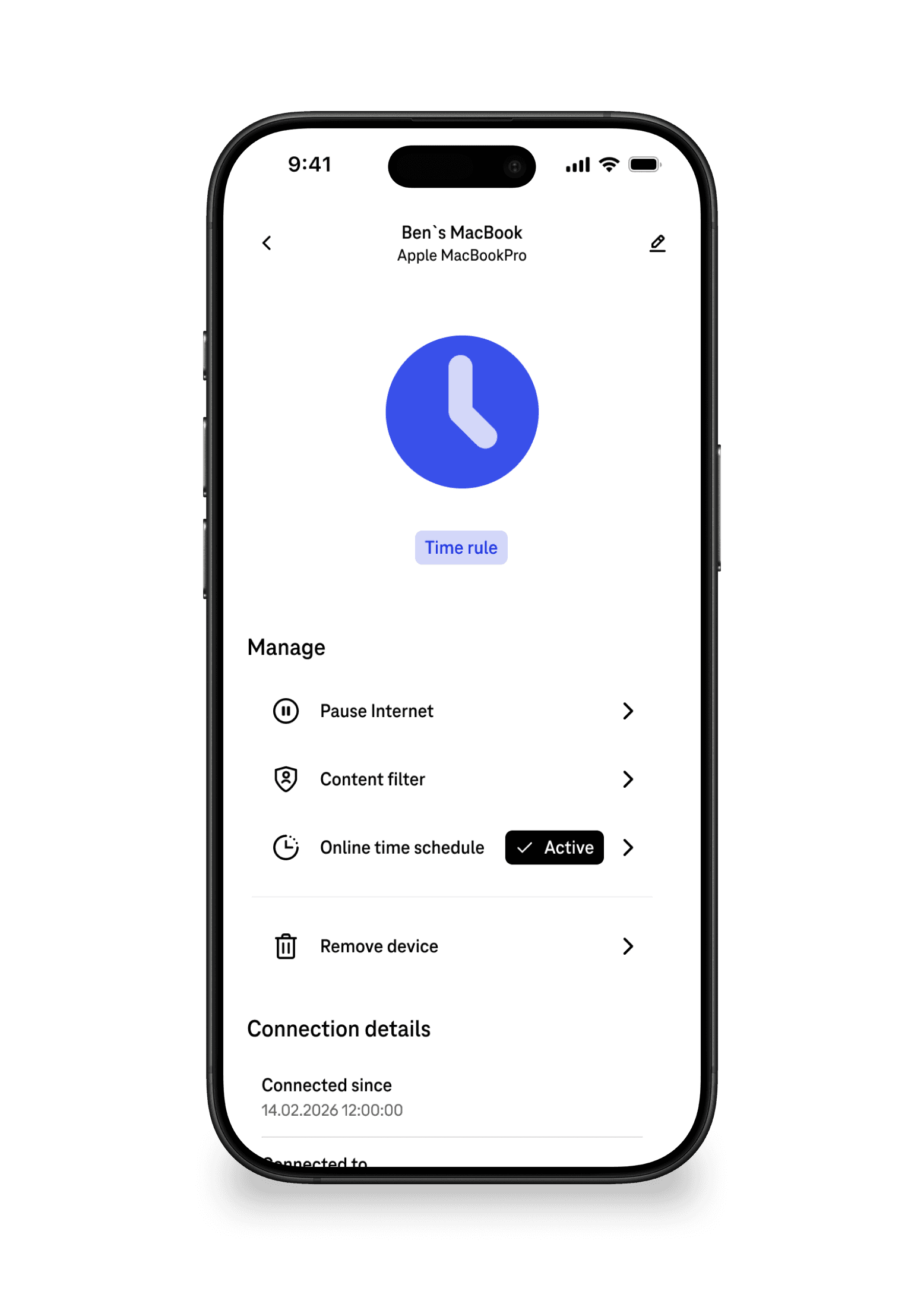
• Quick device actions such as removing devices, prioritizing bandwidth, or applying parental controls
These changes transformed the device list from a static overview into an actionable network management tool.
Solution
From passive list to active network tool
The redesigned experience focuses on clarity, recognition, and actionability.
Key improvements included:
• Highlighting newly connected devices so unfamiliar connections are easier to detect
• Improved device identification through device fingerprinting and recognizable labels
• Clear connection status indicators for active and inactive devices
• Quick device actions such as removing devices, prioritizing bandwidth, or applying parental controls
These changes transformed the device list from a static overview into an actionable network management tool.


Outcome
More users, less effort, more trust
The redesigned experience was measured across customer effort (CES) and feature engagement (MAU). The notification system was a direct contributor to MAU growth — by bringing users back into the feature through proactive alerts, not just passive availability.
Outcome
More users, less effort, more trust
The redesigned experience was measured across customer effort (CES) and feature engagement (MAU). The notification system was a direct contributor to MAU growth — by bringing users back into the feature through proactive alerts, not just passive availability.
The CES methodology is worth noting: rather than a post-session satisfaction score, users were given specific tasks before rating effort. This makes 4.5 a task-performance measure — a more reliable signal that the redesign actually reduced friction on the jobs users cared about most.
4.5
CES — up from 3.6 at baseline
210k
MAU — up from 165k pre-launch
12.5%
Reduction in avg call time
28→37
NPS improvement
10.6k
Active users, up from 4.5k
Strategic foundation
The foundation other features will build on
Device identification and network trust were intentionally solved at the foundational level. Without reliable device recognition, readable names, and a stable network status model, any richer capability built on top would inherit the same core confusion.
The decisions made here — fingerprinting architecture, the naming system, the status layer, the notification model — were designed to be extensible, not just functional for v1.
The device fingerprinting model, the naming system, and the network status architecture built here are the data and UI foundations that make any grouping or contextual management feature technically and experientially possible. We weren't just fixing a list — we were building the layer everything else would connect to.
Strategic foundation
The foundation other features will build on
Device identification and network trust were intentionally solved at the foundational level. Without reliable device recognition, readable names, and a stable network status model, any richer capability built on top would inherit the same core confusion.
The decisions made here — fingerprinting architecture, the naming system, the status layer, the notification model — were designed to be extensible, not just functional for v1.
The device fingerprinting model, the naming system, and the network status architecture built here are the data and UI foundations that make any grouping or contextual management feature technically and experientially possible. We weren't just fixing a list — we were building the layer everything else would connect to.
Reflection
Designing for trust, not just usability
My initial instinct was to treat this as a UI clarity problem — the information was there, it just needed presenting better. What changed that was sitting in the usability sessions. People weren't browsing their devices. They were scanning anxiously, looking for something that shouldn't be there. One user put it plainly: "I just want to know if anyone's on my network who shouldn't be." That observation reframed everything. The problem wasn't unclear UI — it was the wrong job entirely.
The hardest part after the reframe wasn't design — it was the stakeholder conversation. There was real appetite to add smart home controls alongside this work. I had to argue, with evidence, that adding capability before solving the core trust problem would make things worse. The JTBD scoring gave that argument structure. When smart home integration scored lowest and security identification scored highest, the deferral felt like a conclusion, not an opinion. It held.
The notification system wasn't in the original brief — it came out of testing. Even a well-designed device list still put the burden on users to remember to check. Push notifications closed that loop, turning a reactive feature into a proactive one. That shift is what the MAU growth actually reflects.
What I carry from this project: the feature was being used, the numbers looked fine — a less attentive team would have shipped a visual refresh and moved on. The real work was in the gap between what the data said and what the research revealed.
Reflection
Designing for trust, not just usability
My initial instinct was to treat this as a UI clarity problem — the information was there, it just needed presenting better. What changed that was sitting in the usability sessions. People weren't browsing their devices. They were scanning anxiously, looking for something that shouldn't be there. One user put it plainly: "I just want to know if anyone's on my network who shouldn't be." That observation reframed everything. The problem wasn't unclear UI — it was the wrong job entirely.
The hardest part after the reframe wasn't design — it was the stakeholder conversation. There was real appetite to add smart home controls alongside this work. I had to argue, with evidence, that adding capability before solving the core trust problem would make things worse. The JTBD scoring gave that argument structure. When smart home integration scored lowest and security identification scored highest, the deferral felt like a conclusion, not an opinion. It held.
The notification system wasn't in the original brief — it came out of testing. Even a well-designed device list still put the burden on users to remember to check. Push notifications closed that loop, turning a reactive feature into a proactive one. That shift is what the MAU growth actually reflects.
What I carry from this project: the feature was being used, the numbers looked fine — a less attentive team would have shipped a visual refresh and moved on. The real work was in the gap between what the data said and what the research revealed.